릴리즈 2.16.0 이상
수식/화학식을 삽입하고 속성을 편집할 수 있는 수식 편집기 플러그인 입니다.
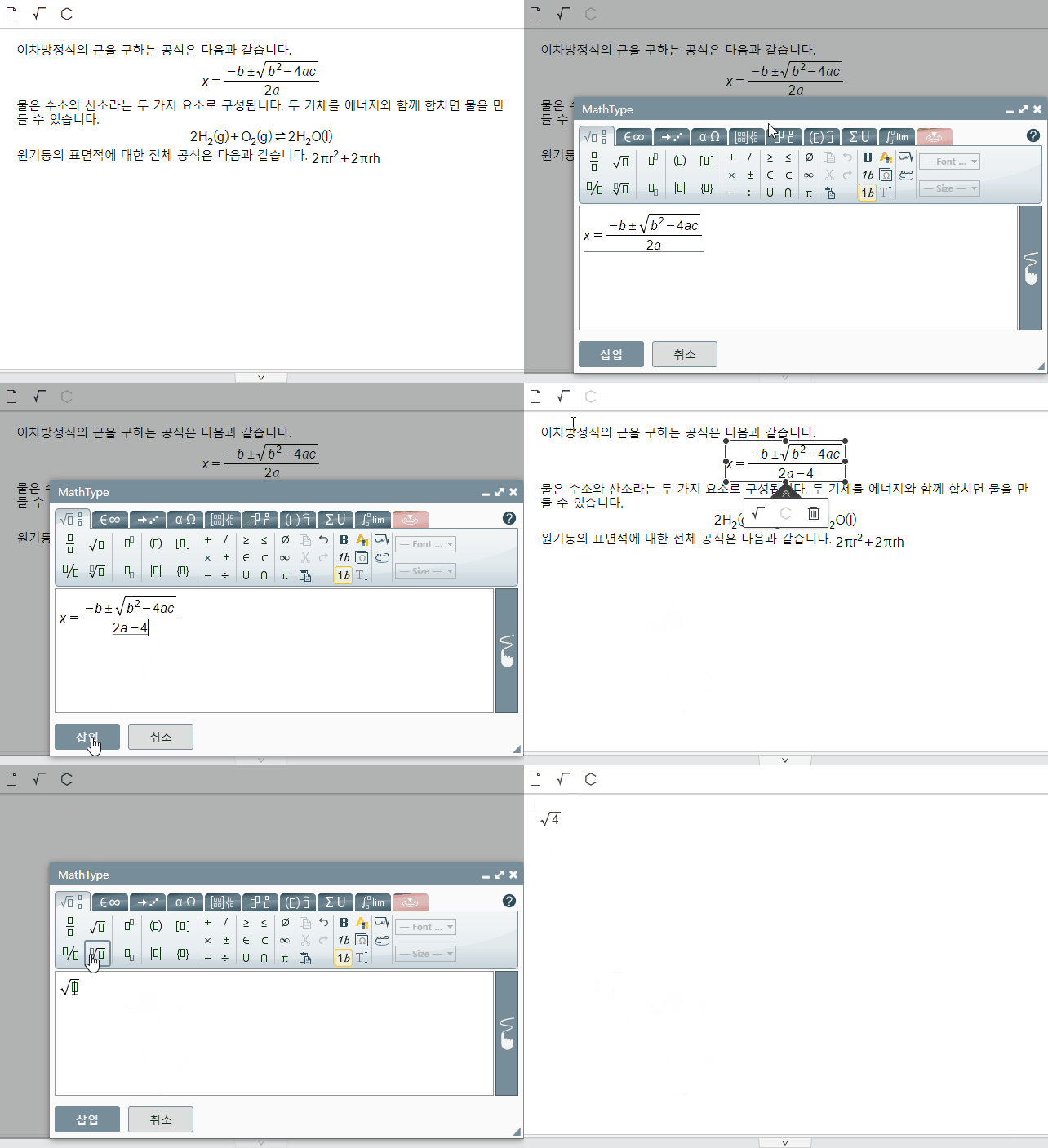
사용 모듈
사이냅에디터 수식 편집기 플러그인은 MathType이라는 상용 모듈을 사용하고 있습니다.
사용을 원하실 경우 아래 페이지를 통해 문의하시기 바랍니다.
- 제품문의 하기: https://www.synapsoft.co.kr/contact/
- MathType: https://www.wiris.com/en/solutions/integrations/html-editors/
사용방법
플러그인 파일 불러오기
<!-- MathType라이브러리를 추가해야 사용이 가능합니다. (https://www.npmjs.com/package/@wiris/mathtype-generic#documentation) -->
<script src="mathtype-generic/wirisplugin-generic.js의 url"></script>

<!-- SynapEditor 객체가 존재해야 적용할 수 있기 때문에 에디터 스크립트 파일 아래에 include 해야 합니다 -->
<script src="mathType.min.js의 url"></script>
wirisplugin-generic.js 파일 다운 방법
<!-- MathType Generic Integration 전용 패키지를 설치하면 wirisplugin-generic.js 파일이 함께 제공됩니다. -->
npm install @wiris/mathtype-generic@7.31.0

<!-- 설치 후 파일 위치 -->
node_modules/@wiris/mathtype-generic/wirisplugin-generic.js

이 파일을 프로젝트 내 경로로 복사해서 사용하시면 됩니다.
툴바에 버튼 추가하기
수식 편집, 화학식 편집 버튼을 툴바 영역, 메뉴 영역에 추가할 수 있습니다.
툴바에 추가

synapeditor.config.js
//...
'editor.toolbar': [
	// 수식/화학식
    'mathType.math', 'mathType.chem'
	//...
],
// ...
플러그인 설정하기
mathType 설정하기
window.WirisPlugin.GenericIntegration 객체 초기화시 사용할 properties를 설정합니다.
synapeditor.config.js
//...
'mathType.config': {
    'properties': {
        'configurationService': '/pluginwiris_engine/app/configurationjs'
    }
}
// ...
mathType API 설정하기
릴리즈 3.1.2501 이상 릴리즈 2.19.2501 이상
MathType API를 사용하여 수식을 표현할 수 있습니다. API가 설정되지 않은 경우, 내부 모듈에서 변환된 이미지로 수식이 표시됩니다. MathType 서버를 통합한 경우, 해당 API를 서버에 설정해야 합니다.
자세한 내용은 아래 문서를 참고하세요:
API 서비스 설정 가이드
synapeditor.config.js
//...
'mathType.config': {
    'mathMlToSvgUrl': '/render?format=svg&mml={mathML}'
}
// ...