...
| Code Block |
|---|
| language | xml |
|---|
| theme | Emacs |
|---|
| title | index.html |
|---|
| linenumbers | true |
|---|
|
<!-- code mirror -->
<script type="text/javascript" src='https://cdnjs.cloudflare.com/ajax/libs/codemirror/5.39.0/codemirror.min.js'></script>
<script type="text/javascript" src="https://cdnjs.cloudflare.com/ajax/libs/codemirror/5.39.0/mode/xml/xml.min.js"></script>
<link rel='stylesheet' href='https://cdnjs.cloudflare.com/ajax/libs/codemirror/5.39.0/codemirror.min.css'> |
3.
...
4 수식 적용
formula parser를 적용하면 에디터에서 수식 편집을 사용 할 수 있습니다.
| Code Block |
|---|
|
<!-- formula-parser -->
<script type="text/javascript" src="../resource/formula-parser.min.js"></script> |

3.5 에디터 플러그인
3.5.1 ToastUI 이미지 에디터 적용
이미지 에디터를 적용하면 이미지에 다양한 효과를 적용할 수 있습니다.
| Code Block |
|---|
|
<!-- image editor -->
<script src="../plugins/tuiImageEditor/tuiImageEditor.js"></script> |
| Code Block |
|---|
| language | js |
|---|
| theme | Emacs |
|---|
| title | configuration.js |
|---|
|
// 플러그인 설정에 "tuiImageEditor" 추가
"editor.plugins": [{
    name: "tuiImageEditor",
    position: {
        imageBalloon: -1 // 이미지 벌룬의 -1 위치에 버튼 추가
    }
}], |
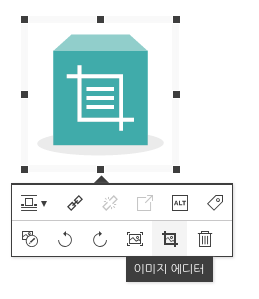 Image Added Image Added
| 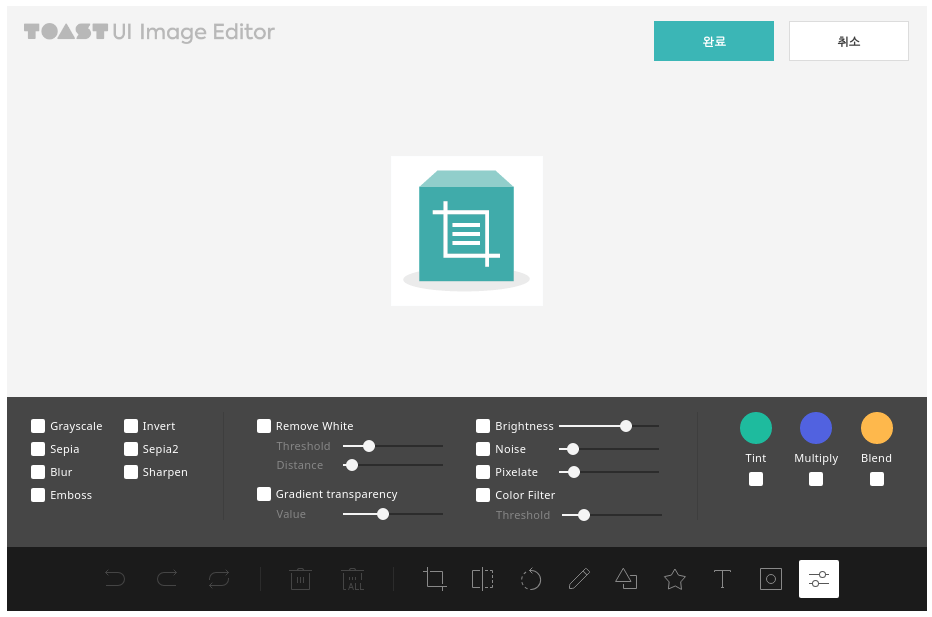 Image Added Image Added
|
4. 임포트 및 업로드 API 설정
환경설정 파일에 임포트 및 업로드 API 경로를 등록합니다.
...